

Why Your Content Looks Amateur (and How to Fix It Without a Production Team)
Tired of your content looking amateur? Discover practical, budget-friendly strategies to instantly make your videos, blogs, and images look professional – no expensive gear or production team needed. Fix common amateur video quality issues today.

n*Photo by Vitaly Gariev on Unsplash*
Ugh, I still remember a client once, a truly brilliant woman with an incredible service she offered. She was so passionate, so knowledgeable, genuinely wanting to help people. Her ideas for content? Gold, I tell you, absolute gold. She'd map out these insightful blog posts, detailed video scripts, and genuinely engaging social media campaigns.
But then, when her content actually _appeared_ online? It just... fell flat. The blog posts were often these intimidating walls of text, her videos were grainy with super distracting backgrounds, and the social media graphics looked, well, like they'd been made in MS Paint. (No offense to MS Paint, of course, but you get the picture – it wasn't exactly polished.)
The hard truth was, her audience wasn't seeing her brilliance. They were seeing something that, unfortunately, looked pretty amateur. And guess what happens then? They scrolled right past it. Fast. Faster than I scroll past a sponsored ad, probably.
It was a really tough pill for her to swallow – I saw it in her eyes. But honestly, it's a gut-punch many of us content creators have felt, myself included. You pour your heart and soul into an idea, spend hours researching, writing, and recording, only to find your content isn't resonating. Why? More often than not, in my experience, it's not the _message_ that's the problem; it's the _delivery_.
Look, perception is _everything_. We live in this crazy-loud digital world, right? Everyone's shouting for attention. So, how your stuff _looks_ and _sounds_? That's probably the make-or-break moment for whether anyone even bothers to listen to your brilliant message. And here's the really good news, the part that probably makes you go "phew": you absolutely do not need Hollywood money or a fancy production crew to fix this.
Let's dive into why your content might be struggling to look professional and, more importantly, how you can actually make it shine without breaking the bank. Because, truly, making your content look professional isn't about expensive gear; it's about making smart choices and putting in some thoughtful effort.
The Crushing Cost of Looking Amateur (Beyond Just Pride... Trust me, I Know)
It absolutely _stings_ when you put effort into something and it just doesn't hit right. That feeling of "Ugh, another one bites the dust." But the cost of amateur content goes way beyond bruised ego. It directly impacts your credibility, your audience growth, and ultimately, your bottom line. I've seen it happen, and I've occasionally been on the receiving end, too.
Think about it:
- Lost Trust: Would you, for example, trust a doctor whose website looked like a Geocities page from 1998? Probably not, right? The same goes for your brand. I think I read somewhere, maybe a Stanford study? Something like 75% of users judge a company's credibility based on its website design alone. And that "design" extends to _every_ piece of content you put out there. It all adds up to that first impression.
- Reduced Engagement: People are busy. Our attention spans, if we're honest, are probably shorter than ever. If your video starts with poor lighting and muffled audio, they're gone in seconds. We're talking blink-and-you'll-miss-it speed. Even a slightly awkward blog layout, with huge walls of text, can send readers scrambling for the back button.
- Wasted Effort: You spend hours researching, writing, recording, editing. If nobody watches or reads it because it looks unprofessional, all that effort is essentially wasted. That’s precious time you could have spent creating _better_ content that actually performs. I've definitely thrown good time after bad, trying to salvage something that probably should've been scrapped sooner.
- Missed Opportunities: Your content is often the very first impression someone has of you or your business. If that impression screams "amateur," you're not just losing a viewer; you might be losing a potential client, customer, or even a future collaborator. Yikes.
Before we get too deep into the nitty-gritty, let me share a little secret weapon right now. One of the biggest time-sucks for independent creators (and trust me, I've fallen into this trap more times than I can count) is figuring out the structure, the narrative flow, and all those little details that actually make content engaging. Tools like Storytime make this easier by helping you map out your ideas, craft compelling narratives, and even generate ideas so you're never staring at a blank page. It's about getting the _bones_ right before you even think about the polish. Seriously, it's a game-changer.
Why Your Content Looks Amateur: The Usual Suspects (From Someone Who's Been There)
Okay, let's get down to brass tacks. Based on years of observing, creating, and — I'll admit — occasionally failing myself pretty spectacularly, here are the most common culprits behind content that just doesn't quite hit the mark. These are the things that scream "hobbyist" instead of "pro."
1. The Pre-Production Pitfall: Winging It (My Personal Arch-Nemesis)
This is, hands down, the biggest mistake I see independent creators make. And full disclosure, my first few YouTube videos? Oh man. Pure chaos. I'd have a brilliant idea, grab my phone, and just start talking or typing. No plan. No outline. Sometimes not even a vague script. Just... going for it.
What it often looks like:
- Videos: Random pauses, a chorus of "ums" and "ahs," repetition, rambling, disjointed thoughts that go off on tangents, awkward transitions, subjects that wander so far off-topic you wonder what the original point even was. It feels like a stream of consciousness, which is rarely what you want for a polished message.
- Blogs/Articles: Walls of text that just keep going, no clear introduction or conclusion, paragraphs that are basically short essays, sudden logical leaps, and points that get repeated because you forgot you already said them. It reads exactly like a first draft, because it often _is_.
- Social Media: Generic captions that could be for anything, visuals that totally mismatch the message, and branding that's all over the place. It genuinely looks like you're just throwing spaghetti at the wall to see what sticks.
Practical Takeaway (Seriously, don't skip this): Plan. Your. Content. Every single piece.
- For videos: Create an outline, bullet points, or even a full script. Decide your hook, your main points, your examples, and your call to action _before_ you ever press record. This makes a world of difference.
- For written content: Always, always, always start with an outline. What are your main headings? What points will you cover under each? What's your intro? Your conclusion? This simple structure makes a world of difference, I promise you.
- For all content: Know your purpose. What do you want your audience to _do_ or _feel_ after consuming this? This clarity guides everything.
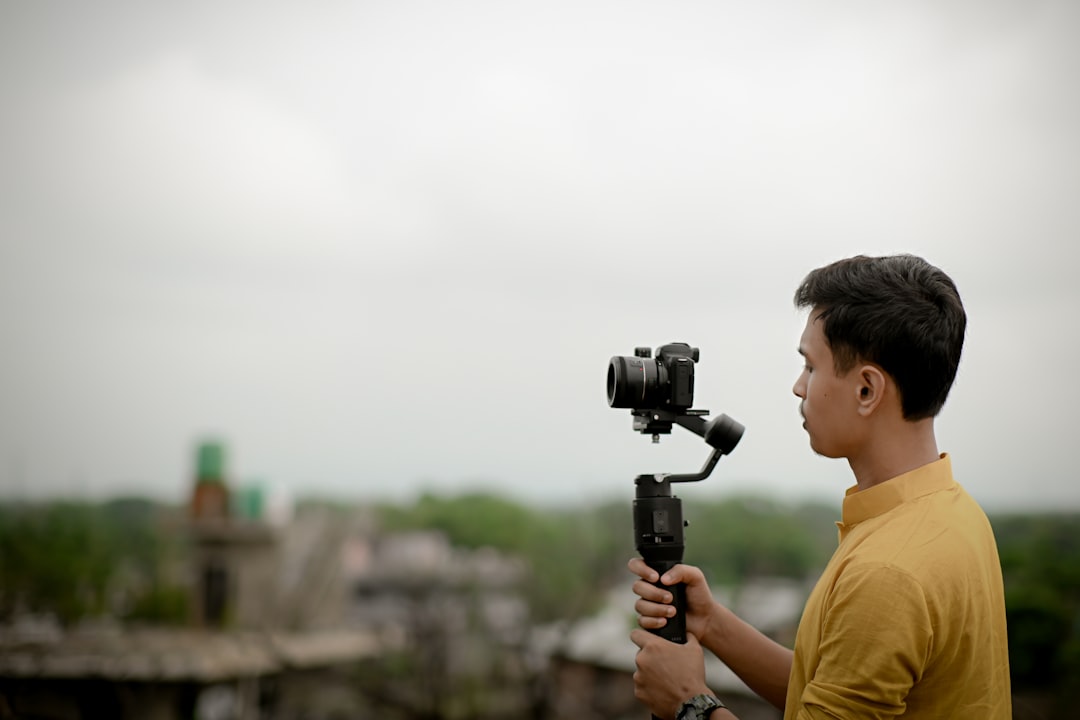
2. The Visual Blunders: "What Am I Even Looking At?" (Or, "My Face is a Shadow")
We are such visual creatures, aren't we? Our brains process images incredibly fast – about 60,000 times faster than text, according to some studies (though the exact number is debated, the speed is undeniable). If your visuals are off, you've pretty much lost half the battle before you've even started.
Amateur Video Quality: Lighting, Framing, and Backgrounds (My Early Fails Here Were Legendary)
This is where most people point the finger when they say "amateur video quality." And, you know what? They're not wrong. I made every single one of these mistakes when I started out.
What it often looks like:
- Poor Lighting: Shadows on faces that make you look like a villain, dark rooms, harsh overhead lights creating unflattering shadows under your eyes, or being backlit by a window that turns you into a complete silhouette. (Guilty as charged on that last one, way too many times).
- Awkward Framing: Too much empty space above your head (hello, ceiling!), accidentally cutting off the top of your head, filming from a weird low angle up your nose (super flattering, said no one ever), or being so far away you look like a tiny dot.
- Distracting Backgrounds: Piles of laundry (oops!), unmade beds, random clutter, busy patterns, or things that totally pull focus away from _you_. I once saw a video where the creator was giving super serious business advice, and in the background, a cat was systematically knocking every single item off a bookshelf. Hilarious, but definitely not professional.
- Shaky Camera: Handheld, jerky footage that just makes viewers feel seasick. Nobody wants that.
- Unflattering Angles: Often just filming straight into the webcam from a low angle, giving everyone a lovely double chin.
Practical Takeaway: Master the basics of visual presentation. You can do this!
- Lighting: Use natural light whenever humanly possible. Sit facing a window. That's probably the biggest free upgrade you can make. If that's not an option, grab a cheap ring light or even a couple of softbox lights. Even a desk lamp with a white t-shirt over it (carefully, for diffusion! Don't start a fire!) is better than harsh overheads. The goal is soft, even light on your face.
- Framing: Aim for the "rule of thirds" – imagine a tic-tac-toe board over your screen. Place yourself along one of the vertical lines, with your eyes roughly on the top horizontal line. Leave a little headroom, but not too much.
- Background: Keep it clean, simple, and relevant. A plain wall, a bookshelf that's actually organized, or a corner of your office with intentional décor works wonders. Blur the background if you can (many phones and webcams have this feature these days).
- Stability: Use a tripod. Seriously. Even a mini tripod for your phone will make a colossal difference. No more seasick viewers!
Image/Graphic Quality: Pixels and Poor Design (My Early Canva Days Were Rough)
What it often looks like:
- Pixelated, blurry, or low-resolution images that just look fuzzy.
- Stock photos that are so clearly generic and irrelevant they might as well be clip art.
- Graphics with clashing colors, fonts you can't read from a mile away, or just way too much text crammed in.
- Inconsistent branding (different fonts, colors, logos across all your content). It looks like you have multiple personalities!
Practical Takeaway:
- High-Res Only: Always, always use high-resolution images. If you're sourcing images, use reputable sites (Unsplash, Pexels, Pixabay offer fantastic free options) and always double-check the license.
- Branding: Stick to a consistent brand color palette and font pairing. There are tons of free tools out there (like Canva's brand kit features) that can help with this. Just pick a few and stick to them!
- Simplicity: Less is often more, especially with graphics. Don't overcrowd them. Use whitespace! It's your friend.
3. The Audio Nightmare: "Huh? What Did They Say?" (This One Drives Me Crazy)
This, my friends, is the sneaky killer of content. People _might_ tolerate slightly imperfect video, but in my experience, they _will not_ tolerate bad audio. It's just infuriating to listen to. Many studies confirm that poor audio quality is a top reason viewers click away from a video. And honestly, I'm one of them.
What it often looks like:
- Muffled or Distant Sound: Sounds like you're speaking from another room, or worse, under a blanket.
- Echoey Room: Sound bouncing off hard, empty surfaces, making you sound like you're broadcasting from a cavern.
- Background Noise: Barking dogs (mine, usually), construction outside, traffic, that annoying fan hum, incessant typing, kids yelling... you get the picture.
- Peaking/Distortion: The sound is too loud and crackles or distorts. It's like nails on a chalkboard.
Practical Takeaway: Prioritize clear audio. This is probably the single biggest "pro" upgrade you can make for the least amount of money.
- Proximity: Get closer to your microphone. Your phone's mic is decent, but it needs to be _close_. Don't try to record a podcast from across the room.
- Environment: Record in the quietest space possible. Close windows. Turn off fans. Soft furnishings (curtains, rugs, pillows, blankets) absorb sound and massively reduce echo. A closet full of clothes is actually a fantastic makeshift sound booth! Seriously, try it.
- External Mic: Invest in an external microphone. Even a $20 lavalier mic that clips to your shirt and plugs into your phone will sound exponentially better than your phone's built-in mic from a distance. A USB microphone for your computer is also a huge upgrade. You don't need a fancy studio setup to make content sound professional, just a little intention.
4. The Editing Errors: The Rough Cuts (My First Edits Were... Choppy)
Even with great raw footage and audio, poor editing can totally torpedo your efforts. This is where the magic happens, but it’s also where amateur mistakes are glaringly obvious. My early edits? Let's just say they were... choppy.
What it often looks like:
- Abrupt Cuts: Choppy transitions, jump cuts that are just jarring and don't make sense, or not removing dead space at all.
- Inconsistent Volume: Audio levels suddenly jump up or down, making you scramble for the volume control.
- No Pacing: Videos that drag on too long because nothing ever changes, or feel super rushed. Blogs without proper paragraph breaks or headings just feel like a slog.
- Overuse of Effects/Transitions: Wacky wipes, starbursts, sound effects that belong in a cartoon. Remember those PowerPoint transitions from the early 2000s? Yeah, avoid those. Please.
- Lack of Structure: No clear intro, middle, or outro. No visual cues (like text overlays) to guide the viewer. It's just... a blob of content.
Practical Takeaway: Edit with intention.
- Trim Ruthlessly: Cut out all "ums," "ahs," long pauses, and anything that doesn't add genuine value. Be brave. Every second counts, especially online.
- Smooth Transitions: Stick to simple cuts or subtle fades. Avoid anything flashy unless it serves a very specific, strategic purpose.
- Audio Levels: Normalize your audio. Most editing software (even free ones like DaVinci Resolve or CapCut) have tools for this. Make sure background music isn't louder than your voice – that's a classic amateur move.
- Pacing: Keep it moving. For videos, especially short ones, I try to aim for a new shot or a cut every 3-5 seconds to maintain engagement. For written content, break up long paragraphs, use bullet points, and add subheadings. If you struggle with the pacing of your written content, consider exploring a content calendar tool to help you organize your thoughts and structure before you even start writing. Storytime's free plan actually handles this for you!
- Text Overlays/Graphics: Use simple, branded text overlays to highlight key points or introduce new sections. This helps immensely with comprehension, especially for video content.

5. The Content Consistency Conundrum: One-Off Wonders (I've Been Guilty, Too!)
This is less about a single piece of content and more about your overall content strategy. I used to be terrible at this, honestly. I'd get so excited about one piece, publish it, and then... disappear for weeks.
What it often looks like:
- Posting once every blue moon, with no rhythm or reason.
- Sudden, jarring shifts in topic, tone, or visual style that leave your audience confused.
- Leaving your audience hanging after promising a "series" that never materializes.
- A content calendar that exists only in your head (or, let's be honest, not at all).
Practical Takeaway: Be consistent in frequency, quality, and branding.
- Schedule It: Decide on a realistic posting schedule (once a week, twice a month, whatever you can genuinely sustain) and then, for goodness sake, stick to it.
- Batch Create: Record multiple videos or write several articles in one go. This makes consistency _so_ much easier. Trust me on this one; my batch days are my most productive.
- Brand Guide: Even a super simple internal document outlining your brand voice, colors, and fonts can ensure all your content feels cohesive, no matter when it was created.
 n*Photo by Fotos on Unsplash*
How to Make Content Look Professional Without a Production Team (Seriously, You Can Do It)
Alright, we've identified the problems. Now for the solutions! And remember, the goal here isn't some Hollywood-level production. It's about being _intentional_ and _strategic_ with the resources you already have. Here’s how you can make content look professional, even if your "team" is just you, your cat, and a strong cup of coffee.
A. It All Starts with Strategy and Planning (The Un-Sexy But Essential Bit)
You hear this a lot, I know, but it’s the absolute truth. The pros don't just "do" content; they _plan_ content. It's the foundation for everything else.
- Hook: How will you grab attention in the first 5-10 seconds (for video) or the first paragraph (for text)? This is crucial.
- Introduction: Set the stage, state the problem you're addressing.
- Main Points: Break down your topic into digestible chunks. Use bullet points; they're your friend.
- Examples/Anecdotes: Illustrate your points. This is where you connect with your audience on a human level.
- Conclusion: Summarize, reiterate your main message.
- Call to Action (CTA): What do you want them to do next? (Subscribe, visit your website, download a guide, leave a comment? Be specific!)
Takeaway: A well-planned piece of content already feels more professional because it respects the audience's time and delivers value efficiently. It's like having a map before a road trip.
B. Polish Your Visual Presence (The Low-Budget, High-Impact Way)
This is where many people throw up their hands, thinking they need thousands of dollars in gear. Nope. You just need to be smart and intentional with what you \*